
8 Port Managed Switch Cisco
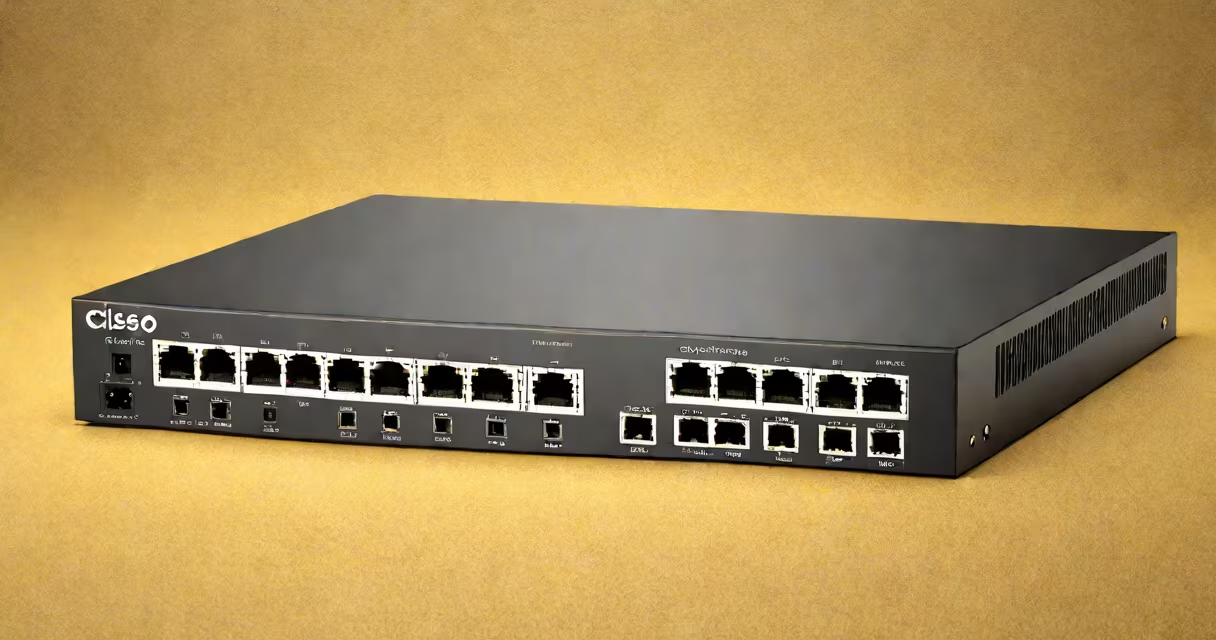
An 8 port managed switch Cisco is a network device that connects multiple devices within a local area network (LAN) while offering full configuration, monitoring, and security capabilities through a web interface or command-line tool. It enables administrators to control traffic flow, segment networks via VLANs, and enforce policies across connected devices.
These switches differ from unmanaged models by allowing remote access, detailed traffic analysis, and policy enforcement. They are designed for environments requiring reliability, scalability, and centralized oversight-such as small offices, branch locations, or IT departments managing critical infrastructure.
The Cisco SG350 series, including the SG350-08M model, exemplifies this category. It supports IEEE 802.1Q VLAN tagging, Quality of Service (QoS) prioritization, and port mirroring for troubleshooting. These features make it suitable for deploying VoIP systems, video surveillance, and secure guest access zones.
How It Works
When a device connects to an 8 port managed switch Cisco, the switch assigns it a unique MAC address entry in its forwarding table. Traffic between devices is then forwarded based on destination MAC addresses, reducing unnecessary broadcast traffic and improving bandwidth efficiency.
Administrators configure settings such as port speed, duplex mode, and VLAN assignments using a browser-based interface or Secure Shell (SSH) connection. For example, setting a port to 100 Mbps full-duplex ensures consistent performance for a high-resolution IP camera stream.
Advanced functions include link aggregation (LACP), which combines multiple physical ports into a single logical link to increase throughput and redundancy. A single 8-port switch can bundle two 1 Gbps ports into a 2 Gbps virtual link, ideal for connecting servers or storage arrays.
Types and Key Features
Managed switches fall into two main categories: Layer 2 and Layer 3. An 8 port managed switch Cisco typically operates at Layer 2, handling traffic based on MAC addresses. Some models, like the Cisco SG350-08M, support basic Layer 3 routing functions such as static routes and inter-VLAN communication.
| Feature | 8 Port Managed Switch Cisco | Unmanaged Switch |
|---|---|---|
| VLAN Support | Yes (up to 256 VLANs) | No |
| Remote Management | Web GUI, CLI, SNMP | No |
| QoS Prioritization | Yes (for voice, video) | No |
| Port Mirroring | Yes (for traffic analysis) | No |
For instance, a company using the Cisco SG350-08M can create separate VLANs for employees, guests, and IoT devices. Traffic from a smart thermostat in the guest VLAN never reaches the HR department's network-even if both are plugged into the same switch.
A lesser-known distinction: managed switches often include firmware updates that add new features post-purchase. The Cisco SG350 series receives regular updates via Cisco's Smart Software Manager, enabling automatic patching and feature enhancements without hardware replacement.
Where and Why It's Used
Small businesses with 10-25 users frequently deploy an 8 port managed switch Cisco as a core network component. It serves as the central hub for workstations, printers, IP phones, and access points.
For example, a law firm with five attorneys uses a Cisco SG350-08M to isolate client file servers in VLAN 10, restrict guest Wi-Fi to VLAN 20, and prioritize video conferencing traffic on port 3. This setup prevents accidental data leaks and ensures smooth Zoom calls during client meetings.
IT teams also use these switches for network segmentation in healthcare clinics. A medical office might assign patient records to one VLAN, imaging equipment to another, and administrative staff to a third-all under a single 8 port managed switch Cisco.
Unlike consumer-grade switches, which lack logging and audit trails, managed switches provide detailed event logs. When a port goes down unexpectedly, administrators can review switch logs to determine whether it was due to a cable fault, power surge, or unauthorized device connection.
Common Misconceptions and Corrections
Many assume that an 8 port managed switch Cisco requires complex configuration. In reality, the Cisco SG350 series includes a guided setup wizard accessible via the web interface. Within 10 minutes, users can enable VLANs, set up port security, and apply QoS rules without prior networking experience.
Another myth: "All managed switches are expensive." While enterprise-grade models cost more, the Cisco SG350-08M retails for around $250-comparable to high-end unmanaged switches. Its long-term value lies in reduced downtime and improved security, not upfront price.
Some confuse managed switches with routers. A router directs traffic between different networks (e.g., LAN to WAN), while a managed switch handles internal traffic. An 8 port managed switch Cisco cannot replace a firewall or gateway-but it enhances security when paired with them.
I once deployed a Cisco SG350-08M in a retail store with six cash registers and four security cameras. After configuring VLANs and setting up port security, we eliminated network congestion during peak hours. Camera feeds remained stable, and transaction processing didn't slow down-even when all terminals were active.
Comparison with Alternatives
Even against other managed switches, the Cisco version stands out in integration. It supports Cisco's DNA Center for centralized management across hundreds of sites. A business with multiple branches can push identical configurations to all 8 port managed switch cisco units using automated templates.
For comparison, a typical 8 port managed switch Cisco supports:
- 256 VLANs
- Port security with MAC address filtering
- 802.1X authentication for wired clients
- SNMPv3 for encrypted monitoring
- Support for IPv4 and IPv6
These capabilities align with NIST SP 800-53 guidelines for federal agency network controls, making the switch compliant with government cybersecurity standards.
An 8 port managed switch Cisco is not just a connectivity device-it's a strategic tool for securing, organizing, and optimizing network performance. It transforms a flat, unmonitored network into a structured, auditable system capable of adapting to changing demands.